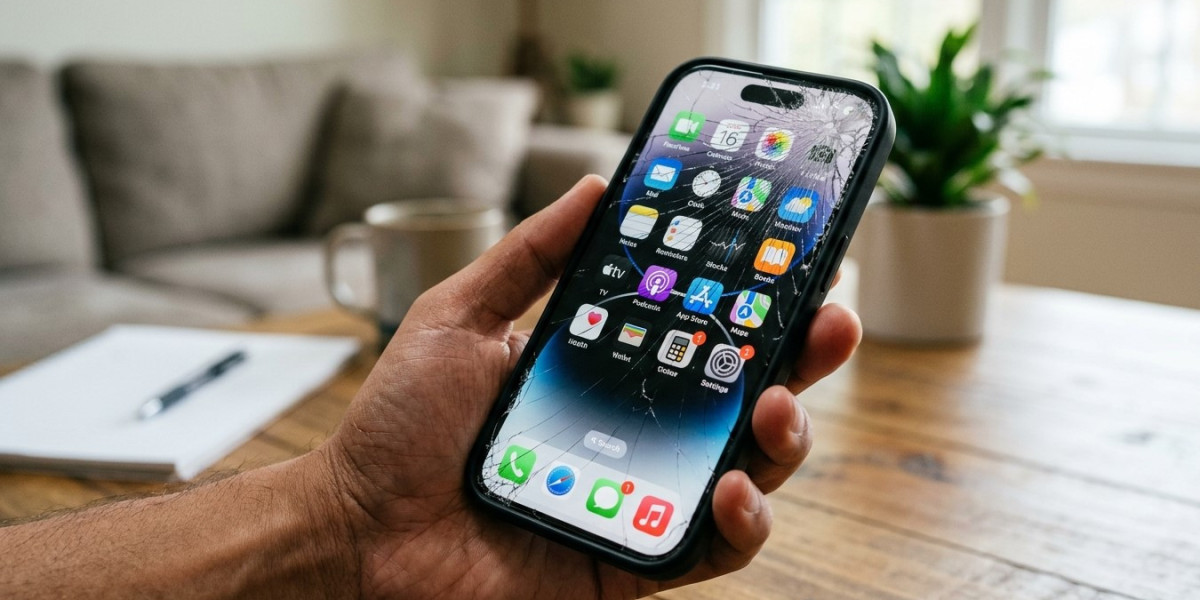

Cracking your iPhone screen can happen in seconds, whether your phone slips from your hand, falls from a table, or gets pressed inside a bag. Even a small crack can lead to touchscreen problems, sharp glass edges, or further display damage. If you need iPhone repair Brooklyn, knowing what to do immediately after an accident can help protect your device and your personal data. Choosing the best iPhone repair in Brooklyn also means finding a reliable technician who can assess the damage and recommend the right solution. For anyone considering iPhone screen repair Brooklyn, taking a few precautions before visiting a repair shop can make the process easier.
Table of Contents
Check Your iPhone for Damage
Protect Yourself From Broken Glass
Back Up Your Important Data
Avoid DIY Repairs and Risky Fixes
Decide Whether Your Screen Needs Replacement
How to Choose a Reliable Repair Shop
Frequently Asked Questions
Call to Action
1. Check Your iPhone for Damage
After cracking your screen, inspect your phone carefully without pressing on the damaged area. Look for visible cracks, black spots, colored lines, flickering, or areas that do not respond to touch.
Check whether the display remains readable and whether essential functions still work. A phone can have internal display damage even when the outer glass has only a small crack.
If the screen becomes unusually hot, the device appears swollen, or the display is lifting from the frame, stop using and charging the phone and seek professional assistance.
2. Protect Yourself From Broken Glass
A cracked screen can have sharp edges or loose glass fragments that may cut your fingers.
Follow these precautions:
Avoid running your fingers over the damaged area.
Do not press hard on the screen or attempt to push cracked glass back into place.
Keep the phone away from children and pets.
If necessary, use a suitable protective covering temporarily, provided it can be applied without pressure or further damage.
Do not use a damaged screen if loose glass makes the phone unsafe to handle. Arrange professional repair as soon as practical.
3. Back Up Your Important Data
If your iPhone is still working and safe to use, back up your important information before arranging a repair.
You can use iCloud or a computer to back up photos, contacts, messages, and other supported data. Make sure the backup completes successfully.
If the touchscreen is not responding, avoid repeatedly pressing damaged areas to regain control. Ask the repair provider about safe options for protecting your data.
A screen replacement does not normally require erasing your information, but unexpected problems can occur during repairs. Having a recent backup is a sensible precaution.
4. Avoid DIY Repairs and Risky Fixes
It may be tempting to repair the screen yourself or try online tricks, but improper handling can cause additional damage.
Avoid these common mistakes:
Pressing on black spots to try to remove them.
Applying glue directly to cracked glass.
Using heat to soften the screen.
Opening the phone without suitable tools and experience.
Continuing to use the device if battery swelling is suspected.
A professional inspection can help determine whether the glass, display assembly, or another component has been affected.
5. Decide Whether Your Screen Needs Replacement
Not every cracked screen has the same level of damage. A small crack may leave the display functional, while a more serious impact can affect touch response and image quality.
Common signs that repair may be needed include:
Cracked or shattered glass.
Black spots or colored lines.
Flickering or distorted images.
Touchscreen areas that do not respond.
A completely black display despite the phone appearing powered on.
Even if your iPhone still works, cracks can worsen with everyday use. A technician can inspect the phone and explain whether screen replacement is appropriate.
6. How to Choose a Reliable Repair Shop
When looking for iPhone screen repair Brooklyn, compare repair experience, replacement-part options, transparent pricing, and warranty coverage.
Before approving the repair, ask:
What is the total estimated cost?
Are compatible replacement parts available?
How long will the repair take?
Is there a warranty on the repair?
Will the repair affect any device features?
Choosing the best iPhone repair in Brooklyn means looking for clear communication and proper testing—not simply the lowest price. If you need iPhone repair Brooklyn, confirm the shop can work with your specific iPhone model.
Frequently Asked Questions
1. Can I keep using my iPhone after cracking the screen?
Possibly, if the phone remains safe to handle and works properly. However, avoid using it if glass is loose, the screen is lifting, or the device becomes unusually hot.
2. Will a cracked iPhone screen get worse?
It can. Additional pressure, drops, and everyday wear may cause cracks to spread or lead to further display problems.
3. Should I turn off my iPhone after cracking the screen?
If the phone is functioning normally and there are no safety concerns, turning it off is not always necessary. If you suspect battery damage, swelling, or excessive heat, stop using and charging it and seek professional assistance.
4. Can my data be lost during screen replacement?
Data loss is not typical during a straightforward screen replacement, but it is possible if complications arise. Back up your iPhone before service whenever possible.
5. How quickly should I repair a cracked iPhone screen?
Arrange repair promptly if the crack affects touch response, visibility, or safe handling. More serious damage should be assessed without delay.
Conclusion
After cracking your iPhone screen, inspect the damage carefully, protect yourself from broken glass, back up your data, and avoid risky DIY fixes. Professional diagnosis can help identify hidden damage and determine the right repair. If you are searching for iPhone repair Brooklyn, Avenue D Cellular can help you explore repair options. Comparing service quality and warranty coverage can help you find the best iPhone repair in Brooklyn for your needs, including suitable iPhone screen repair Brooklyn solutions.
Call to Action
Cracked your iPhone screen? Contact Avenue D Cellular to discuss your device model, the type of damage, and available repair options. Ask about pricing, turnaround time, replacement parts, and warranty coverage to make an informed decision.