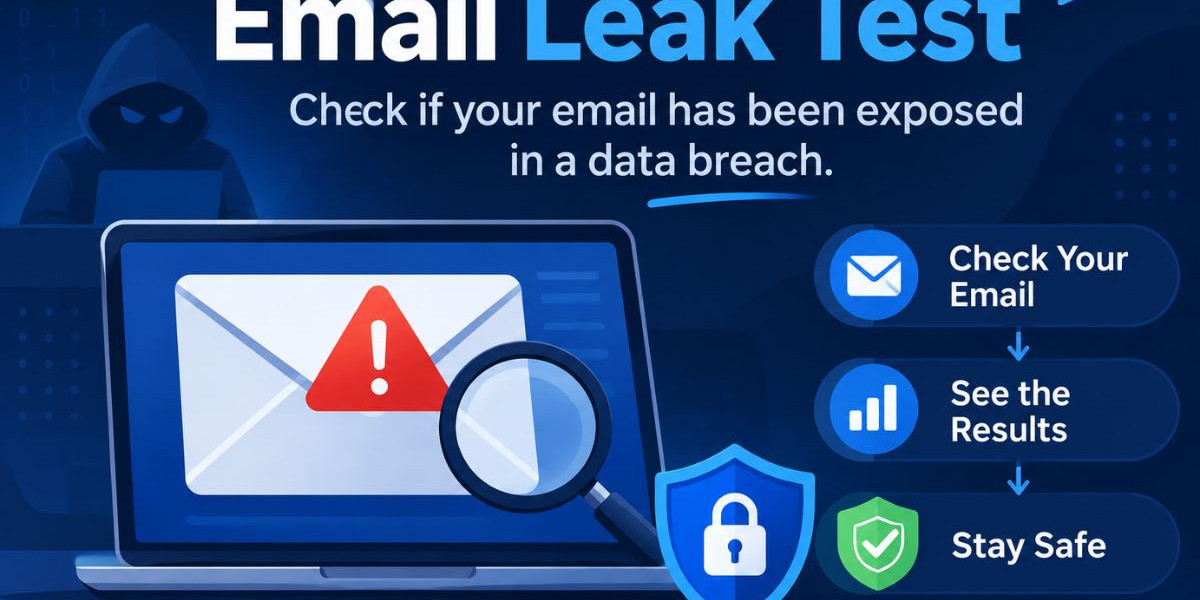

An email leak test answers one question: has this address shown up in stolen data? Attackers trade breached databases, infostealer logs and combolists constantly, so an exposed address can be used against you long before anyone notices. A quick email leak test tells you whether an address has appeared in a known breach, infostealer log, or leaked credential dump, so you can act before an attacker does.
This guide is written for security teams, MSSPs, MDR providers and security-aware professionals. It explains what an email breach check is, how it works behind the scenes, how to run one step by step, what to do when the result is bad and how to choose between one-time checks and continuous monitoring. It also covers the mistakes that make breach exposure worse and the credential stuffing attacks that turn a leaked address into an account takeover.
What Is an Email Breach Check?
An email breach check is a lookup that tells you whether a specific email address appears in known breach data. That data includes public breaches, infostealer logs, combolist data and credential dumps traded on breach forums. The result tells you the address is exposed. It does not mean the account was hacked.
People search for this in many ways: email leak test, email leak checker, has my email been leaked, is my email in a data breach, or email exposure check. The intent is the same in every case. The person wants to know whether an address has leaked and what that means for the accounts tied to it.
An email breach check is a diagnostic step. It sits at the start of a response process, not at the end. A clear result is useful, but it is a snapshot of what is known today. A positive result is more useful, because it gives you a concrete reason to reset passwords, enable multi-factor authentication and look for signs of misuse.
Breach, leak and exposure: what is the difference?
These words are often used as if they mean the same thing, but they describe slightly different events.
A breach is an incident where an organization loses control of data, usually because an attacker got into its systems.
A leak is the wider term. It covers any situation where data becomes visible to people who should not see it, including accidental exposure.
An infostealer log is a record of data collected from a victim's own device by malware, often including saved logins and session data.
A combolist is a compiled list of email and password pairs, usually assembled from many earlier breaches and logs.
A good email leak test looks across these sources, not just across one famous breach.
How an Email Breach Check Works
An email breach check works by comparing the address you enter against collections of known compromised data. The service searches sources such as breach forums, infostealer logs, combolist data and public breaches, then reports whether the address appears. The Mispar tool follows this model and never shows you the leaked password itself.
The process is simpler than it sounds and it helps to see each stage.
Where the data comes from
Breach data reaches researchers and defenders from several places. Public breaches are documented incidents where a dataset became widely available. Breach forums are underground marketplaces where stolen databases are sold, traded, or shared. Infostealer logs come from malware that harvests credentials, cookies and other data from infected machines. Combolists mix older records into new bundles that are reused for automated attacks.
This is why a single source is never enough. An address can be absent from a famous public breach and still sit in an infostealer log that circulates in a smaller community. Wider coverage means fewer blind spots.
What the lookup actually does
When you submit an address, the service checks it against the data it has collected and returns a result. The address is used only to run the check. A well-built tool is designed to check, not to build a list of the addresses people submit. For exact handling of submitted data, readers should refer to the privacy policy of the tool they use.
Why the password is not shown
Showing a leaked password in a public lookup would create a new risk. Anyone could use the tool to harvest working credentials. Responsible tools confirm exposure without revealing the secret. You learn that the address is at risk and you handle the password side by changing credentials, not by reading old ones.
How to Check If an Email Has Been Breached
You can check whether an email has been breached in a few minutes. Enter the address into a trusted lookup, read the result and decide on next steps. The free Mispar tool needs no signup and checks one email at a time. The steps below work for most tools.
Decide which address you are checking. Start with your own primary work and personal addresses, or accounts you are authorized to monitor.
Open a trusted breach lookup. For a quick email leak test with no signup, the Mispar free tool searches breach forums, infostealer logs, combolist data and public breaches.
Enter the address and run the check. Because the tool handles one email at a time, repeat the process for each address you want to review.
Read the result carefully. A hit means the address appeared in a known breach, infostealer log, or credential dump. A clear result means nothing was found in the sources checked at that moment.
Record what you find. Note which addresses were exposed so you can prioritize response.
Act on the result. Move to the response steps in the next section, even if you only see one hit.
Checking more than one address
Because the free tool checks one email at a time, it suits spot checks and personal review. If you manage a team, you will want a repeatable process. List the addresses that matter most, such as administrators, finance staff, executives and anyone with access to client environments and check them first.
Reading a clear result correctly
A clear result is good news, but it is not a guarantee. New breaches appear constantly and data can circulate for a while before researchers see it. Treat a clean email leak test as a statement about the past, not a promise about next week. That is the main argument for continuous monitoring, covered below.
What to Do If an Email Shows Up in a Breach
If your email appears in a breach, change the password on that account first, then change it anywhere else you used it. Turn on multi-factor authentication, review recent account activity and watch for phishing that uses the exposed details. Speed matters because leaked credentials are often tried within automated attacks quickly.
Here is a practical order of operations.
Change the password for the affected account. Use a long, unique password, not a small variation of an old one.
Change it wherever it was reused. Password reuse is what turns a single breach into several compromised accounts.
Turn on multi-factor authentication. Prefer app-based or hardware-based methods over text messages where you can.
Review account activity. Look for sign-ins you do not recognize, new forwarding rules, new devices and changed recovery options.
Sign out other sessions. Infostealer data can include session material, so ending active sessions closes a door that a password change alone might leave open.
Scan the device. If the exposure came from an infostealer log, the device itself may be infected and a new password typed on an infected machine can be captured again.
Watch for phishing. Attackers use leaked details to make messages look credible.
When the exposure involves a company account
For a business address, the stakes are higher. Tell your security team, review access tied to the address and check whether the same credentials could reach VPNs, email gateways, cloud consoles, or client portals. If the address belongs to someone with administrative rights, treat the finding as urgent.
Do not skip the device check
Many people reset a password and stop. If an infostealer was the source, the malware may still be running. Resetting a password from the same infected device can hand the new secret to the same attacker. Clean the device first, then change the credentials.
Credential Stuffing Explained
Credential stuffing is an attack where criminals take lists of leaked email and password pairs and try them against many other services. It works because people reuse passwords. According to OWASP guidance, credential stuffing is a common automated threat against login pages and defenses include multi-factor authentication and checks against known compromised credentials.
This is the link between an email leak test and real damage. A breach at one unrelated service gives an attacker a working login for another one. The attacker does not need to break in. They only need the same password to still be valid somewhere else.
Several things make credential stuffing effective:
Combolists give attackers huge volumes of pairs to try.
Automation lets them test credentials across many sites quickly.
Password reuse means a small share of attempts will succeed, which is enough for the attack to pay off.
Many organizations do not notice failed logins spread across many accounts and many source addresses.
Multi-factor authentication does not fix reuse, but it blocks many stuffing attempts that rely on the password alone. NIST password guidance also supports screening new passwords against lists of known compromised values, which is the same idea behind a breach lookup.
Why Security Teams and MSSPs Need Email Breach Checks
Security teams and MSSPs need email breach checks because exposed credentials are one of the most common ways attackers get in and the exposure is often invisible from inside the network. A breach at a third-party service never touches your logs. A breach check is how you learn about it.
For an MSSP or MDR provider, this is also a client-facing question. Customers ask whether their people have been exposed and they expect a clear answer. An email leak test provides a fast, concrete starting point for that conversation.
What teams gain from regular checks
Earlier warning. You learn about exposure before it shows up as a suspicious login.
Better prioritization. Knowing which addresses are exposed tells you whose accounts to harden first.
Cleaner investigations. When an account is misused, you can see whether its credentials were already circulating.
Stronger client conversations. A concrete finding is easier to act on than a general warning about phishing and passwords.
Where Live Search and Watch List fit
On the Mispar platform, Live Search lets a team check any email, domain, or username on demand and the Watch List catches new leaks automatically after that. That pairing matters because a one-time check answers what is exposed today, while ongoing monitoring answers what has become exposed since. The free tool is a good first step and the platform features cover the ongoing part of the job.
Responsible Use and Authorization
You can use a breach lookup responsibly by checking only your own addresses or those you are authorized to monitor. The Mispar tool does not require proof of ownership, but that places responsibility on the person using it. Checking a stranger's address without a legitimate reason is poor practice and may cause legal or ethical problems.
Good examples of authorized use include:
Your own personal and work addresses.
Employee addresses at a company you manage or protect.
Client addresses covered by a security agreement.
Bad examples include checking an ex-partner, a competitor's staff, or anyone else you have no standing to look into. If in doubt, get written permission before running the check.
Key Features to Look For in an Email Breach Check Tool
A strong email breach check tool covers several source types, protects the privacy of what you submit and shows you exposure without handing out secrets. Not every free lookup does all of this, so it is worth comparing before you rely on one for a security decision.
Source coverage
Look for coverage beyond public breaches. Breach forums, infostealer logs and combolist data catch exposures that a single public database can miss.
No unnecessary friction
A free tool with no signup lowers the barrier for a quick check. It also means you are not handing over extra personal details just to learn whether you are exposed.
Safe handling of the address
The best tools use the address only to run the check and they do not turn the lookup into a way to collect lists. Read the privacy policy to confirm how submitted data is handled.
No password disclosure
A tool that reveals leaked passwords creates its own risk. Prefer tools that confirm exposure without displaying the secret.
A path to ongoing monitoring
A one-time lookup is useful, but you will eventually want a way to catch new exposure automatically. Check whether the provider offers on-demand search and continuous monitoring as part of its wider platform.
Clear guidance on use
Good tools state who the check is for. Look for plain language about responsible use and authorization.
Common Mistakes After an Email Leak Test
The most common mistake is treating a clear result as permanent safety. Others include fixing only one password, ignoring the device and skipping multi-factor authentication. Each one leaves a path open for account takeover, even after the team believes the problem is handled.
Changing one password but not the reused ones. Attackers try the same credentials across services, so a partial fix leaves gaps.
Picking a slightly altered version of the old password. Attackers often test predictable variations.
Resetting from an infected device. If an infostealer is still active, the new password can be captured again.
Ignoring sessions. A stolen session can stay valid after a password change if it is not ended.
Skipping multi-factor authentication. Without it, a leaked password may be enough on its own.
Checking once and never again. New breaches keep appearing, so a single check ages quickly.
Not telling anyone. A work address exposure should reach the security team, even if the person thinks it is minor.
One-Time Check vs. Continuous Monitoring: A Comparison
A one-time email breach check tells you what is exposed right now, while continuous monitoring tells you when something new appears. Both have a place. The table below compares common approaches so you can match the method to the job.
Approach | Best for | Main strength | Main limitation |
Free one-time email breach check | Quick personal or spot checks | Fast, no signup needed | Shows only a single moment in time |
Manual OSINT research | Targeted investigations | Flexible and detailed | Slow, depends on analyst skill |
Public breach notification services | General awareness | Easy to access | Coverage is limited to documented breaches |
Dark web monitoring platform | Ongoing team protection | Catches new exposure over time | Usually a paid commitment |
On-demand search plus watch list | MSSPs and security teams | Check anything, then track changes | Requires setup and review of alerts |
Password manager breach alerts | Individual users | Convenient for personal accounts | Not built for team or client oversight |
The right choice depends on scale. An individual may be well served by a one-time check and a password manager. A security team or MSSP usually needs both an on-demand lookup and automated tracking.
Free vs. Paid Email Breach Check Tools
Free tools are best for fast spot checks and paid platforms are best for ongoing coverage across many addresses and domains. A free email breach check answers a single question quickly. Paid platforms add monitoring, wider scope and workflows that fit security operations.
A free tool makes sense when you want a quick answer about one address, you are learning how exposure looks, or you need to verify a suspicion fast. A paid platform makes sense when you protect many users, manage client environments, or need new exposure to be flagged without anyone remembering to look.
Many teams use both. The free tool is the quick first move. The platform is the system that keeps watching afterward.
Interesting Facts About Email Breaches and Credential Exposure
These facts are based on widely published security research and guidance. No figures are quoted, because exact numbers change from year to year and from report to report.
According to Verizon's Data Breach Investigations Report series, stolen credentials have repeatedly ranked among the most common ways attackers gain initial access.
OWASP identifies credential stuffing as an automated attack that depends on reused passwords across services.
NIST digital identity guidance recommends screening passwords against lists of known compromised values and it discourages forced periodic password changes without evidence of compromise.
Security research on infostealer malware shows that it can collect saved logins and browser session data from an infected device, which is why a password reset alone may not be enough.
Public breach-notification services, including those run by independent researchers, exist so people can check whether an address has appeared in a documented breach.
Combolists are usually compiled from older breaches and logs, so an address can appear in newer circulating data even when the original incident happened long ago.
Conclusion
An email breach check is one of the fastest ways to learn whether an address has appeared in a breach, infostealer log, or leaked credential dump. Run it on your own addresses first, then on accounts you are authorized to monitor. If you find a hit, change the password everywhere it was used, enable multi-factor authentication, end old sessions and check the device for malware.A single email leak test is a snapshot, not a shield. New breaches keep arriving and attackers keep testing leaked credentials against other services. For teams that need more than a spot check, the answer is pairing on-demand search with ongoing monitoring. You can learn more about that approach at Mispar, where Live Search and the Watch List are built for exactly this job.
Frequently Asked Questions (FAQs)
How do I check if my email has been in a data breach?
Enter your address into a trusted email breach check tool and read the result. The free Mispar tool needs no signup and checks one email at a time. A hit means the address appeared in a known breach, infostealer log, or credential dump.
Is a free email breach check safe to use?
It can be, if the tool uses the address only to run the check and does not show leaked passwords. Read the privacy policy for how submitted data is handled. Avoid tools that ask for passwords or unrelated personal details.
What should I do if my email was leaked?
Change the password on the affected account and anywhere you reused it. Turn on multi-factor authentication, sign out other sessions and review recent activity. If an infostealer may be involved, scan the device before changing passwords again.
Can I check someone else's email address?
You should check only your own addresses or ones you are authorized to monitor, such as employee emails at a company you manage. The Mispar tool does not require proof of ownership, but responsible use is expected. Get permission before checking anyone else.
What is credential stuffing?
Credential stuffing is an automated attack that tries leaked email and password pairs against many other services. It succeeds when people reuse passwords. Unique passwords and multi-factor authentication make it much harder for attackers.
Does a leaked email mean my password was stolen?
Not always. A leaked email means the address appeared in breach data, but the data may or may not include a password. Because you cannot be sure, change the password and enable multi-factor authentication anyway.