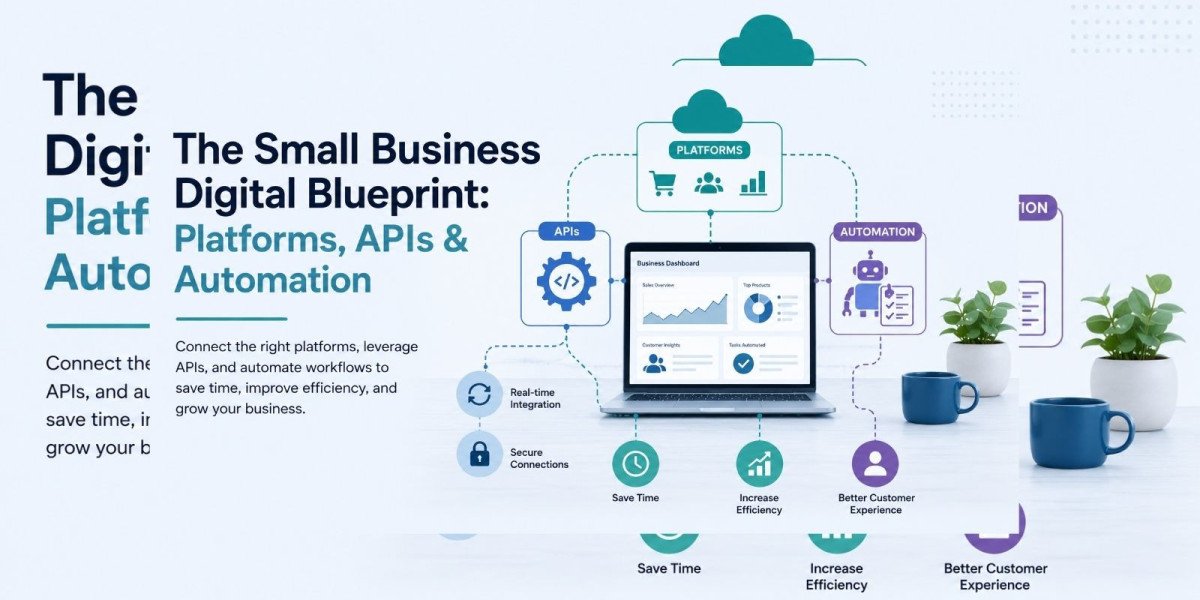

Why Small Businesses Need a Digital Blueprint in 2026
Running a small business has never been more demanding. Customer expectations are higher, competition is fiercer, and the gap between businesses that embrace technology and those that do not is widening every year.
A digital blueprint is not about adopting every new tool on the market. It is about building a connected, deliberate technology foundation that supports how your business actually operates — and scales as it grows. When designed correctly, your digital infrastructure does the heavy lifting: it reduces manual effort, minimizes errors, improves customer experience, and gives you the data to make better decisions faster.
This guide breaks down the essential components of that blueprint — from centralized platforms and secure API integrations to cloud infrastructure and intelligent automation — so you know exactly what to build, in what order, and why each piece matters.
What Is a Digital Blueprint for a Small Business?
A digital blueprint is a structured technology strategy that maps your business operations to the right tools, platforms, and integrations. It answers three core questions:
- What systems does my business need to function efficiently?
- How do those systems connect and share data with each other?
- In what sequence should I build or adopt them to maximize return?
Without a blueprint, most small businesses end up with a fragmented stack — a collection of tools that each work in isolation but do not communicate with one another. Data gets manually re-entered. Errors multiply. Teams spend time on tasks that should be automated. Customers experience delays and inconsistencies.
With a clear digital blueprint, every part of your technology stack has a defined purpose, connects to the wider system, and contributes to operational efficiency and business growth.
The 6 Core Components of the Small Business Digital Blueprint
1. A Centralized Business Platform
The foundation of any small business digital strategy is a single, centralized platform where core business functions live together. This means your customer records, bookings or orders, reporting, team communications, and operational workflows are all accessible from one interface — not scattered across five different tools that do not talk to each other.
Centralization is not just a convenience. It is a structural necessity for scaling. When your data lives in one place, every decision your team makes is based on the same information. There are no version conflicts, no outdated spreadsheets, no gap between what one department knows and what another does not.
The right centralized platform for a small business should offer:
- A unified dashboard for operations, customers, and reporting
- Role-based access so team members see what they need
- Real-time data updates across all functions
- Integration capability with external tools and services
- Scalable architecture that grows without requiring a rebuild
For businesses in travel, hospitality, professional services, or e-commerce, the platform needs to be purpose-built or highly configurable for the specific workflows of that industry. Generic tools often fall short when the operational complexity increases.
2. Secure and Reliable API Integrations
APIs — Application Programming Interfaces — are the connections that allow your internal systems to communicate with external platforms. Payment gateways, inventory suppliers, logistics providers, booking engines, marketing tools, accounting software — all of these need to exchange data with your core platform, and APIs are how that happens.
For small businesses, API integration is not an advanced feature reserved for enterprise technology teams. It is a practical necessity that removes the single biggest operational inefficiency: manual data transfer between systems.
When your payment gateway is connected to your accounting software via API, invoices generate automatically. When your booking engine connects to your inventory system, availability updates in real time. When your CRM connects to your email platform, customer communications trigger based on actual behaviour rather than manual scheduling.
The business impact of well-implemented API integrations includes:
- Elimination of manual data entry and the errors it introduces
- Real-time accuracy across customer-facing and internal systems
- Faster order processing, booking confirmations, and customer notifications
- The ability to add new partners, suppliers, or tools without rebuilding your core system
For businesses in the travel sector specifically, connections with Global Distribution Systems (GDS) are a non-negotiable part of delivering accurate availability and live pricing at scale. A single failed or poorly maintained integration in this context can directly impact revenue and customer trust.
The quality of your API integrations — how securely they are built, how well they are documented, and how reliably they are maintained — has a direct effect on the stability of your entire digital operation.
3. Scalable Cloud and SaaS Infrastructure
One of the most expensive mistakes small businesses make is building technology that works today but cannot grow with them. A system that handles fifty transactions a day may not handle five thousand without significant re-architecture — and that re-architecture is costly in both time and money.
Cloud-based infrastructure and SaaS (Software as a Service) platforms solve this by providing a foundation that scales automatically with demand. You are not managing servers, worrying about storage limits, or paying for infrastructure you are not using. The provider handles the technical layer, and your business focuses on the product and the customer.
For small businesses, the advantages of SaaS and cloud infrastructure are substantial:
- Lower upfront costs compared to custom on-premise systems
- Automatic software updates, security patches, and feature releases
- The ability to scale up during peak periods and scale back during quieter ones
- Built-in redundancy and data backup managed by the provider
- Access to enterprise-grade analytics, reporting, and AI capabilities without additional development
Marketplace businesses, booking platforms, and service portals in particular benefit from cloud-native architecture. It allows faster time to market, cleaner integration with third-party services, and a more consistent experience for customers regardless of device or location.
The decision between off-the-shelf SaaS and custom-built cloud platforms depends on the uniqueness of your business requirements. For standard functions — payments, communications, scheduling — SaaS is almost always the faster and more cost-effective choice. For the capabilities that differentiate your business from competitors, custom development built on cloud infrastructure gives you the flexibility and control you need.
4. Intelligent Business Automation
Manual, repetitive tasks are the single largest hidden cost in most small business operations. Booking confirmations, invoice follow-ups, inventory alerts, customer notifications, status updates, exception reports — these tasks happen every day, they take real time, and every one of them carries the risk of human error.
Automation removes that risk entirely and gives your team back the time they need to focus on work that actually requires human judgment.
A well-designed automation framework does not just eliminate individual tasks. It handles the complete lifecycle of routine business interactions without manual intervention. When a customer makes a booking, a confirmation goes out within seconds. When inventory drops below a threshold, a reorder is triggered automatically. When a payment is overdue, a follow-up sequence begins without anyone having to remember to send it.
The business processes that consistently deliver the strongest return on automation investment include:
- Customer onboarding sequences and welcome communications
- Booking and appointment confirmations with pre-visit or pre-service reminders
- Invoice generation, payment follow-up, and receipt delivery
- Inventory monitoring and supplier reorder triggers
- Internal alerts for system exceptions, threshold breaches, or approval requirements
- Post-service feedback requests and review prompts
Modern automation goes well beyond simple if-then rules. Today's AI-powered automation systems can learn from patterns in your data, make conditional decisions based on real-time context, and adapt workflows dynamically — giving small businesses capabilities that were previously only accessible to large enterprises with dedicated engineering teams.
For businesses working with technology partners who specialize in automation and digital systems, the implementation process typically begins with a workflow audit — identifying the highest-volume, most error-prone processes first — and then building automation in layers as the team's confidence and the system's data maturity grows.
The return is not just efficiency. It is reliability. Automated systems do not forget, do not get tired, and do not have bad days. For customer-facing processes in particular, that consistency translates directly into a better experience and a stronger brand reputation.
5. Mobile-Ready Infrastructure
The expectation that a platform will work on any device, from anywhere, is no longer a premium feature. It is the baseline. Customers access services on their phones. Field teams need real-time data while away from the office. Business owners need visibility into operations whether they are at their desk or not.
A platform that only functions well on desktop is a platform that limits your business. Mobile-ready infrastructure — whether through a fully responsive web platform or a dedicated mobile application — ensures your business remains accessible and operational regardless of where your team or customers are located.
For small businesses, the strategic value of mobile readiness extends beyond convenience:
- Higher conversion rates from mobile-first customers who expect a seamless experience
- Improved team productivity for field-based or multi-location operations
- Stronger brand credibility through a polished, professional mobile presence
- The foundation for future capabilities like push notifications, location services, and in-app customer support
Building mobile infrastructure early also prevents one of the most common and costly small business technology mistakes: redesigning and rebuilding a platform later to add mobile capability that should have been part of the original architecture.
6. Strategic Technology Consulting
Technology investment without a clear strategy is expensive. Choosing tools that do not integrate, building on the wrong infrastructure, or investing in features your customers do not need — these are the predictable outcomes of moving fast without a structured plan.
Strategic technology consulting helps small businesses design the right architecture before they start building. It is the difference between a technology stack that grows with your business and one that holds it back.
A good technology consultant will:
- Audit your current operations and map existing tools and workflows
- Identify the highest-priority gaps and the operational friction causing the most cost
- Define a phased implementation roadmap with realistic timelines and measurable outcomes
- Ensure your chosen tools and platforms integrate correctly from the start
- Help you avoid the vendor lock-in, scalability limitations, and integration failures that derail so many small business technology projects
This kind of structured planning is especially valuable at two specific moments: when a business is moving from manual operations to a digital platform for the first time, and when an established business is modernizing a legacy system that has outgrown its original design.
The return on good technology consulting is not just a better system. It is the time and money you do not spend fixing avoidable mistakes.
Frequently Asked Questions
What does a small business actually need to get started with digital technology?
Start with a centralized platform to manage customers and core operations, a reliable payment integration, and basic automation for your most frequent customer communications. From there, prioritize API integrations for your most-used external tools, then layer in analytics and more sophisticated automation as your data and volume grow.
Is SaaS or custom development better for a small business?
Both have a place. SaaS is almost always the right choice for standard functions — payments, scheduling, communications, accounting — because it is faster, cheaper to start, and maintained by the provider. Custom development makes sense for the capabilities that are unique to your business model and cannot be replicated adequately by off-the-shelf tools.
How do I know when I need API integration?
If your team is manually copying data between two systems — even once a week — you are already a candidate for API integration. The cost of a well-built integration is almost always lower than the ongoing cost of manual data management, the errors it introduces, and the delays it causes.
When is the right time to invest in automation?
The right time is when a process is high-volume, repetitive, and rule-based. If your team does the same sequence of tasks every time a customer makes a booking, places an order, or submits a request, that sequence should be automated. Start with the processes that consume the most time or carry the highest risk of error.
How should a small business approach mobile development?
Build mobile readiness into your platform architecture from the start, not as an afterthought. A responsive web platform handles the majority of mobile use cases effectively. A dedicated mobile application makes sense when your customer engagement model benefits from push notifications, offline access, or device-specific features like location services.
Putting the Blueprint Into Practice
The six components outlined in this guide — a centralized platform, secure API integrations, scalable cloud infrastructure, intelligent automation, mobile-ready design, and strategic consulting — are not a wishlist. They are the practical, proven foundation that modern small businesses need to operate efficiently and grow sustainably.
The most important principle when implementing this blueprint is sequencing. Start with the foundation and build upward. A centralized platform comes first, because everything else connects to it. API integrations come next, because they are what makes the platform dynamic and real-time. Automation follows, because it amplifies the value of a connected system. Mobile infrastructure should be built in from the beginning rather than added later.
Technology transformation does not happen overnight, but with a clear plan and the right partners, every step forward compounds into a meaningful operational and competitive advantage.
Work With a Technology Partner Who Understands Your Business
Building the right digital foundation is significantly faster and more reliable when you work with people who have done it before — across multiple industries, at multiple stages of business growth.
Expandorix works with small businesses, startups, and growing enterprises to design and build the technology systems that support long-term growth. From travel technology platforms, GDS and API integrations, and SaaS marketplace development to mobile applications, enterprise web platforms, AI-powered automation, and strategic technology consulting — Expandorix brings the technical depth and practical experience to turn your digital blueprint into a working, scalable reality.
If you are ready to assess your current technology stack or plan your next platform project, reach out to the Expandorix team and start the conversation.
Expandorix Technologies Private Limited | A-199 Sector-63, Noida, UP 201301, IN hello@expandorix.com | +91(997)118-0366